

Summary: My twenty-five-year-old Intel Play QX3 microscope had no software that would run on a modern Mac, so I used Claude to write one in a morning. When an app takes a morning instead of two weeks, software can stop being a product and start being personal.
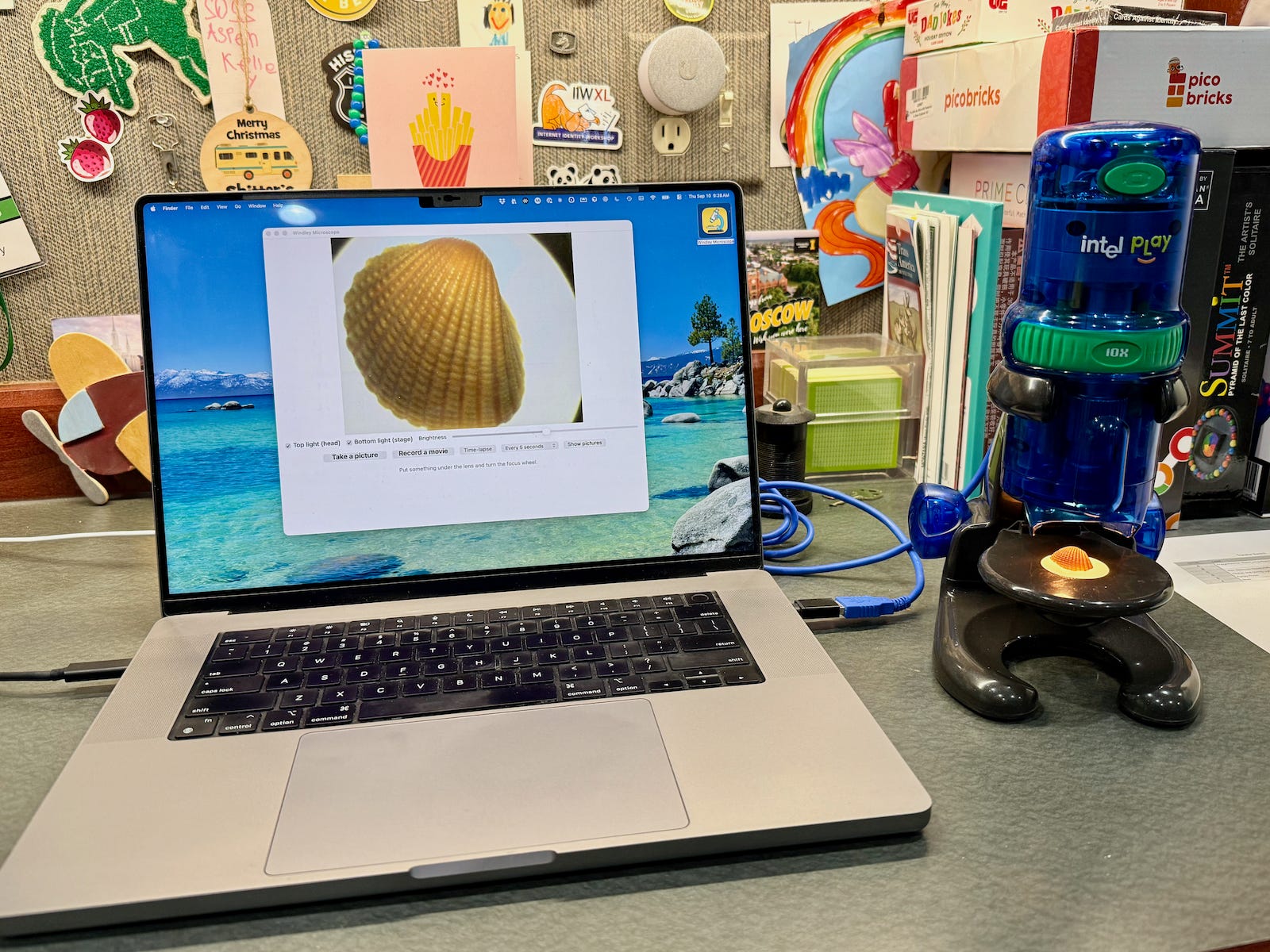
Over twenty-five years ago, I bought an Intel Play QX3 microscope for my kids to play with. It came with a CD-ROM holding the control software, which, as I recall, ran only on Windows. The microscope then spent the better part of two decades in the back of a cabinet in my office, gathering dust.
I pulled it out recently for my grandkids, hoping the Mac might simply recognize it as a camera. It didn’t. I couldn’t find any software that would run on a modern machine, and I was about ready to send the whole thing to the thrift store. Then I had an idea: what if I used Claude to write an app for it?
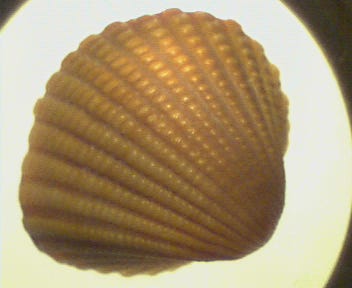
A morning later I had one, and my grandkids were watching the ridges of a seashell fill the screen. The interesting part of this story isn’t the microscope; it’s that building a custom app for a single obsolete device is now a morning’s work instead of a project. That change is going to reshape what we expect software to be.
A Microscope With No Software
The QX3 is a small USB microscope that Intel and Mattel sold around the turn of the century. It magnifies at 10x, 60x, and 200x (using physcial lenses, not software); it has a camera in the head, a light on top and another in the stage, and a focus wheel. For a toy, it is genuinely good, and it still works exactly as well as it did in 2000. The problem is not the hardware; it is everything the hardware expects to talk to.
The QX3 predates USB Video Class, the standard that lets a modern operating system treat any conforming camera as a webcam with no driver at all. To macOS, the QX3 is not a camera; it is an unknown vendor-specific USB device, and the system has no idea what to do with it. Over the years, hobbyists filled that gap with their own drivers and apps for Linux and the Mac. Those projects are mostly dead now.
They died for an ordinary reason. Each one depended on the operating-system internals of its moment, and macOS kept moving: it went 64-bit, it tightened what kernel extensions could do, and it reworked its USB and camera frameworks more than once. Keeping a driver alive for a discontinued children’s toy is a lot of unpaid work for an audience of a few, so the maintainers moved on and the code stopped building. The hardware still worked; the software around it rotted away.
Building It With Claude
I opened Claude in Cursor and worked in stages. I didn’t begin with a plan for an app; I began by trying to talk to the device at all. Each stage did one small thing and proved it worked before I asked for the next.
Identify the device. I gave Claude the handful of facts the macOS “About This Mac” USB panel showed for the microscope: a vendor ID, a product ID, and not much else.
Blink the lights. I had Claude write a small command-line program that turned the microscope’s LEDs on and off. That was the entire test: could code I control make something physical happen across the USB cable? It could.
See through it. Next came a command-line tool that pulled the image the microscope was seeing and saved a snapshot to a file.
Give it a face. Then a real Mac app with a window: switches for the two lights, a brightness slider, a live preview, and a button to take a picture.
Record. After that, movie capture and time-lapse, so my grandkids could watch an ant walk or a drop of water evaporate.
Clean it up. Finally the work that separates a demo from a tool: an app icon, a proper Quit item in the menu, and the usual round of small bug fixes.
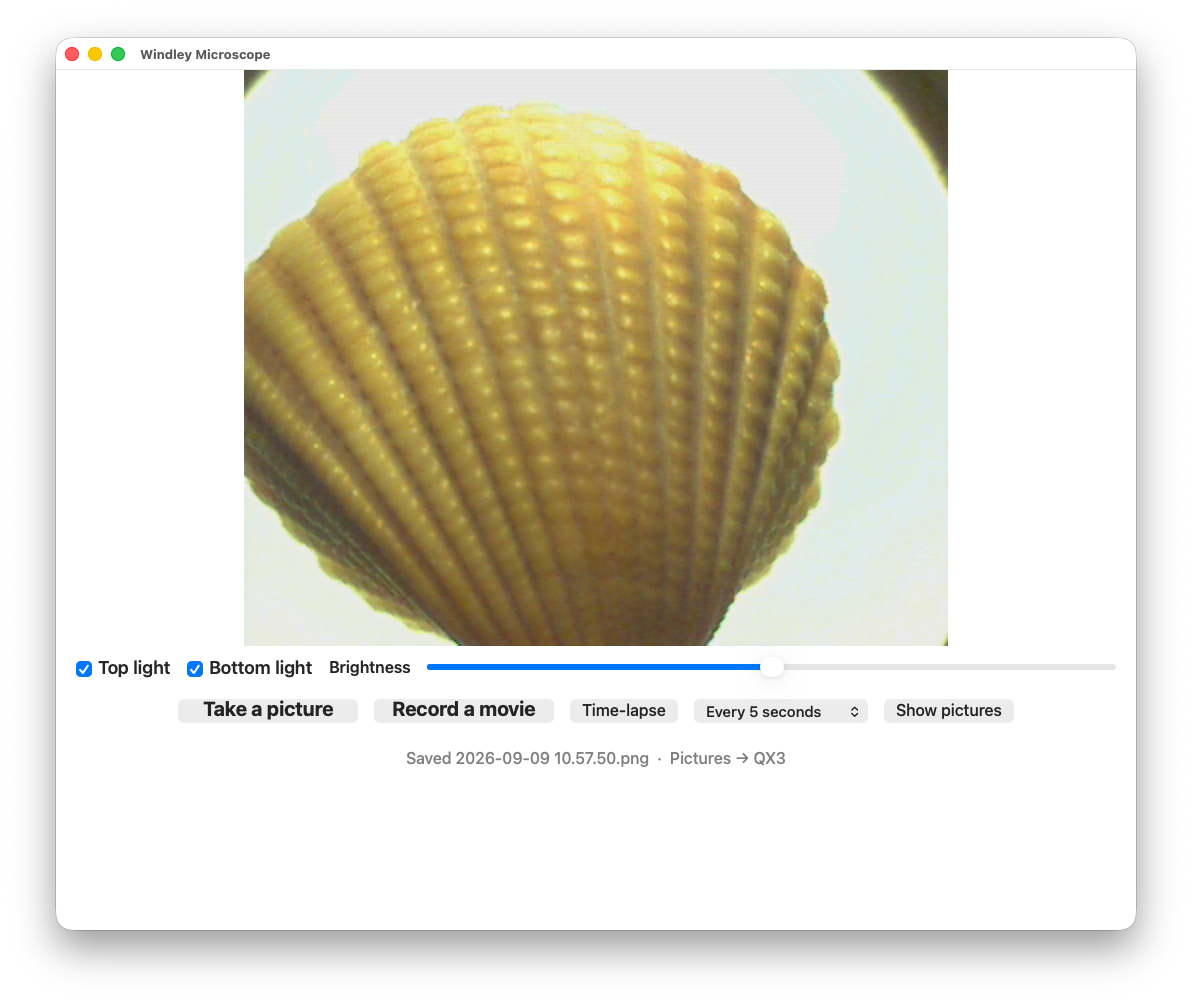
The result is a few hundred lines of Swift that talk to the microscope directly over USB. I called it Windley Microscope, which is the kind of name you give something built for exactly one household. It does what the original Windows software did, and only what my grandkids and I actually want it to do.
Why This Works
The QX3 is easy to bring back precisely because it is old. A modern webcam sits behind several layers: USB Video Class, the camera framework, the operating system’s device and privacy management. Those layers are what make a new camera “just work,” and they are also what you cannot reach around when it doesn’t. The QX3 has none of them.
It sits right on the USB wire, speaking a simple protocol, with nothing between my code and the device. The same plainness that made it invisible to macOS made it straightforward to control myself; there was no abstraction to defeat, only a device to address. Simple architecture wins. When the platform declines to capture a device, you are not locked out of it; you are left free to talk to it on your own terms.
An App for an Audience of One
Here is the part that reaches past one microscope. A few years ago I would not have spent two weeks building a custom app to run a discontinued toy for my grandkids; the effort was far larger than the result was worth. I was happy to spend a morning. That shift changes the cost dynamics of software in a profound way.
An app no longer has to be a product. It does not need a market, a store listing, or a user base large enough to justify the build. It can be personal1: written for exactly what one person needs, and for no one else. The world is full of a backlog of small software that never get written because the audience is one (or small) and the price was two weeks (or two years). That backlog has quietly become approachable. Imagine all the things that will be built because of this profound change in cost.
An important point: This is easy on a laptop because computers still let their owners run whatever code they write and talk to whatever hardware they plug in. It is not easy on iOS, where the platform, not the owner, decides what is allowed to run. The model that let me revive the QX3 in a morning barely exists on the devices most people actually use; that is a decision about how those platforms are built, not a fact of nature. As personal software becomes ordinary, it will press on that decision.
The microscope works again, and that is a small, good thing. The larger thing I got back is the ability to make the computer do the specific thing I want, without waiting for a company to decide enough people want it too. That capability used to belong to firms with a market to serve. It is starting to belong to the rest of us.
Notes
Personal is not personalized. In 2026, a personalized system is one a company tunes to you from the data it collects about you; the tuning serves the company, and the surveillance that feeds it is the point. A personal app is the reverse: you build or commission it, it runs on your own machine, and it answers only to you. I mean personal in its older, plainer sense: software that belongs to you, not software aimed at you.
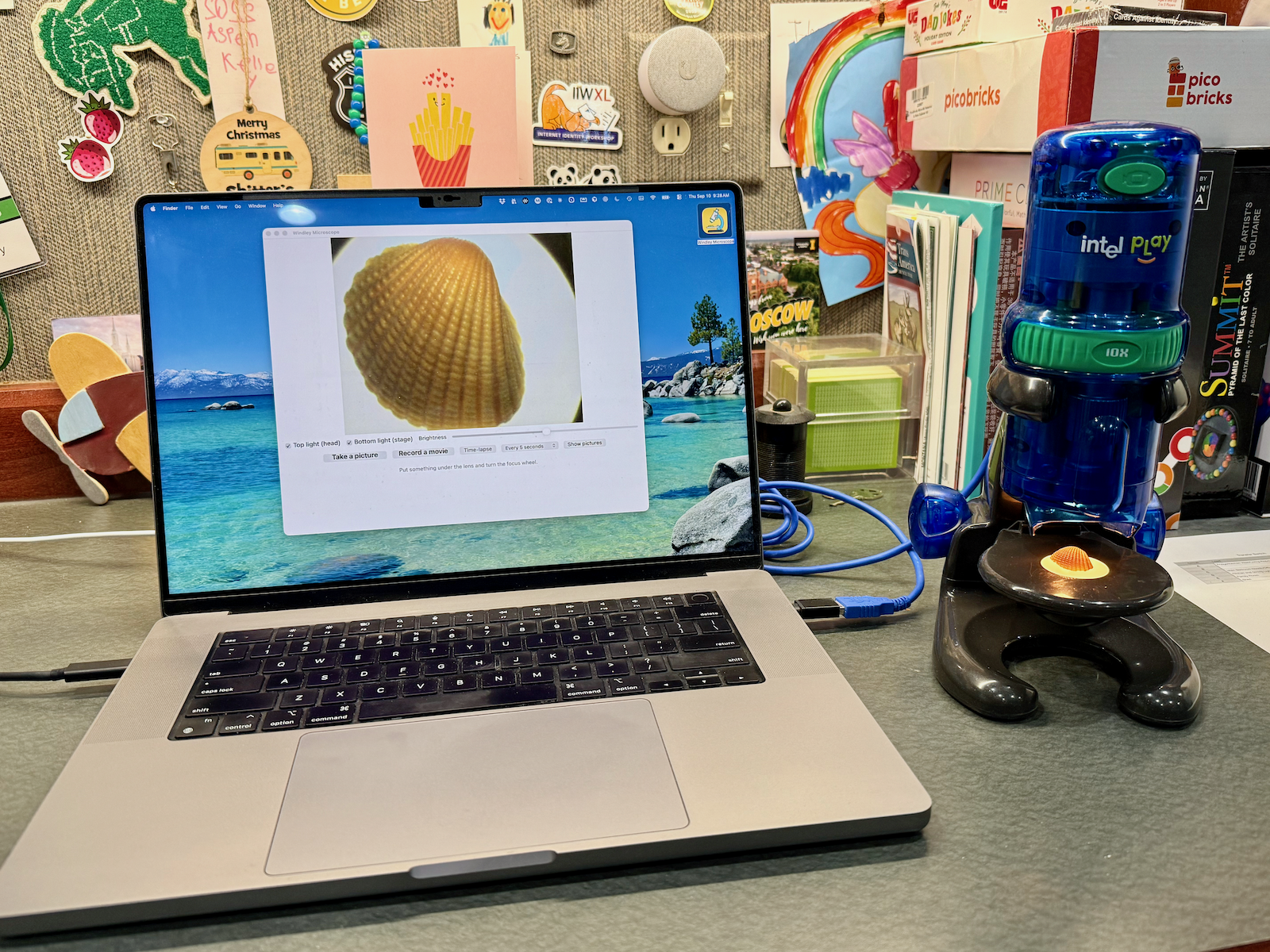
Photo Credit: The QX3 microscope beside my laptop running Windley Microscope from Phil Windley (CC BY 4.0)
Why not vibe-code a personal authorization server? The resource can be anything personal you might want to share based on policy. A calendar or email inbox, for example. These very private things are already online but have very limited resource server APIs. A personal authorization server would retain our control of the resource without introducing a third party's policy constraints.